Everything Smiloo does for your store

From the question at the counter to the chain report. Works on its own or integrated with your ERP.

Collecting ratings

Tablet, printed QR Code and WhatsApp. Customers answer the easiest way for them, and the survey is short on purpose.
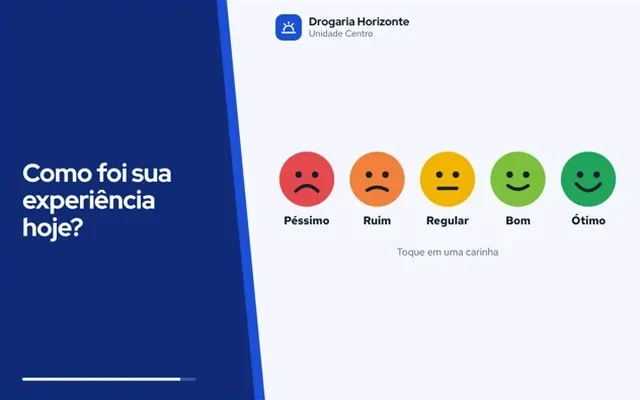
Tablet without integration with the question and the five faces
Tablet without integration
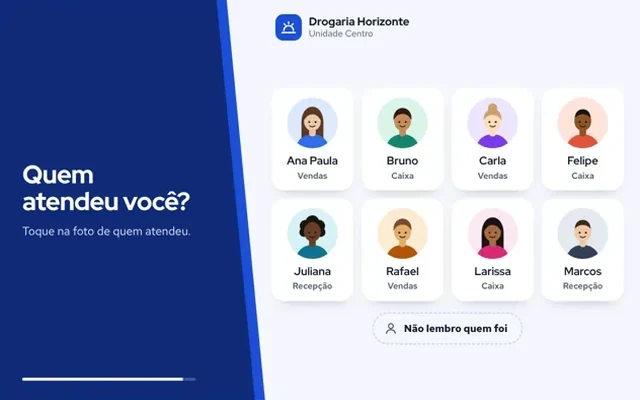
Customer tapping who served them
Who served you?
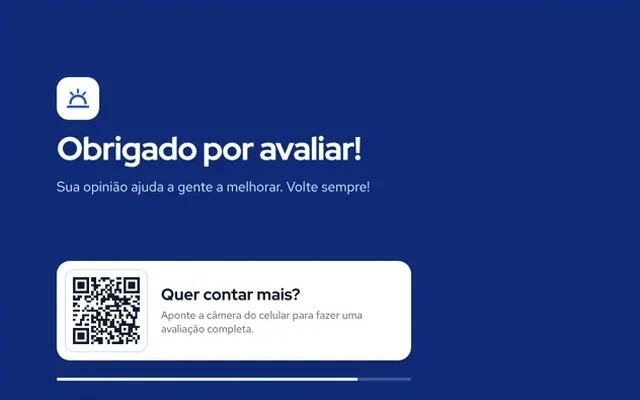
Thank-you screen with a QR for the full rating
QR to tell more
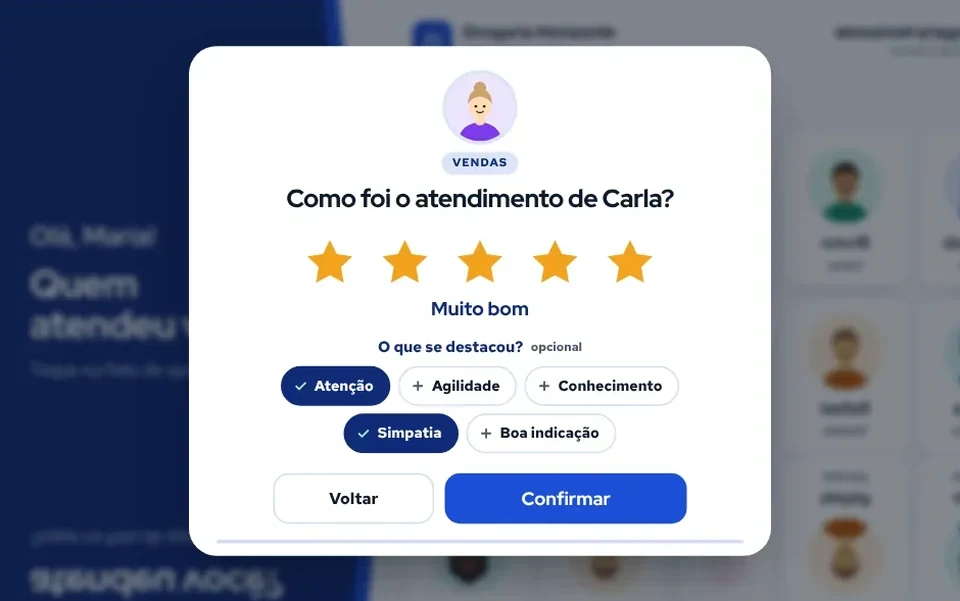
Stars for who served, with highlights
Stars for who served
Offers and question in a loop10 seconds of offer and 30 of rating, adjustable. Or just the question, with no offers.
Synced tabletsEvery checkout shows the same image at the same time. No mismatched screens side by side.
One QR per spotCounter, table 8, waiting room. The Portal shows the ratings of each collection point.
Who served, by photoEveryone on one screen or one step per role: sales, checkout, reception. With a photo or just the name.
Contact for the managerOn an Okay rating or worse, customers can leave their phone number for the manager to get in touch.
One rating per visitThe thank-you QR is unique. If the customer rates on their phone, that rating replaces the tablet one.
Works offlineThe tablet stores the ratings and sends them when the connection is back. The Portal shows when a tablet is offline.
The rating doesn't stay on screenThe chosen face disappears right after the thank-you, so no one on the team sees the customer's rating.
Six languagesPortuguese, English, Spanish, French, Italian and German, on the tablet and on the phone.

Customer screen at checkout

With the integration, the tablet follows the sale from start to finish and greets the customer by name.

  • Items appear as the cashier rings them up, with discounts and total
  • Pix with a QR on screen, card, cash with change and your ERP's other methods
  • Sale rating, linked to who sold and who rang it up
  • An abandoned purchase goes straight back to the offers
  • The customer can type their ID number and WhatsApp on the screen Coming soon
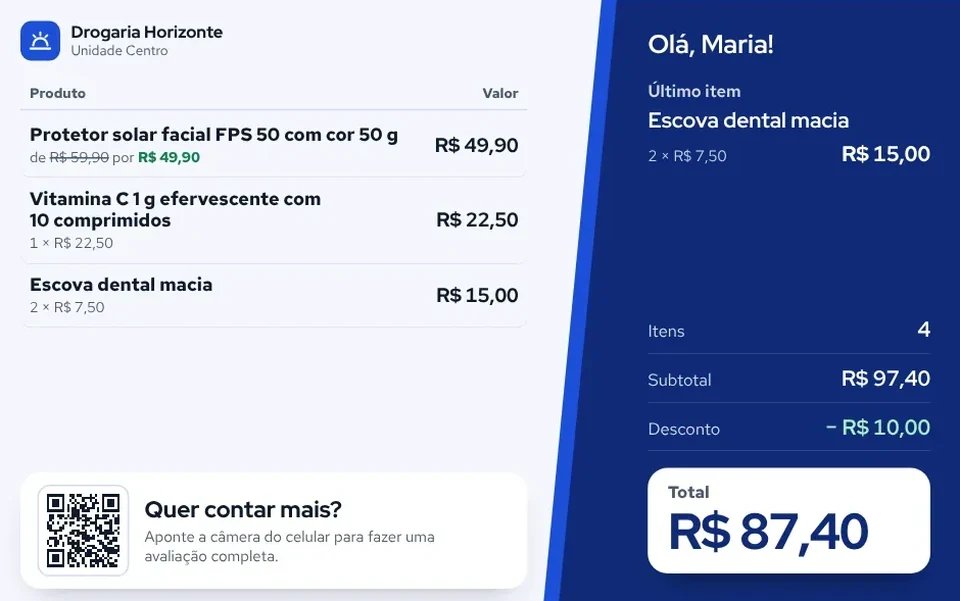
Purchase with the items and the total
Purchase in progress
Pix payment with a QR Code on the screen
Pix on screen
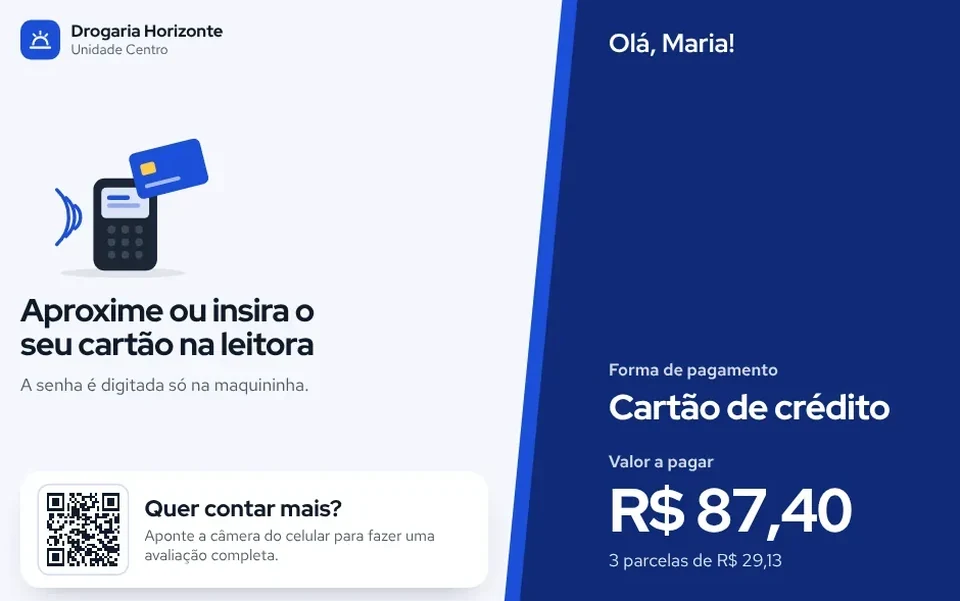
Instructions to pay by card
Card
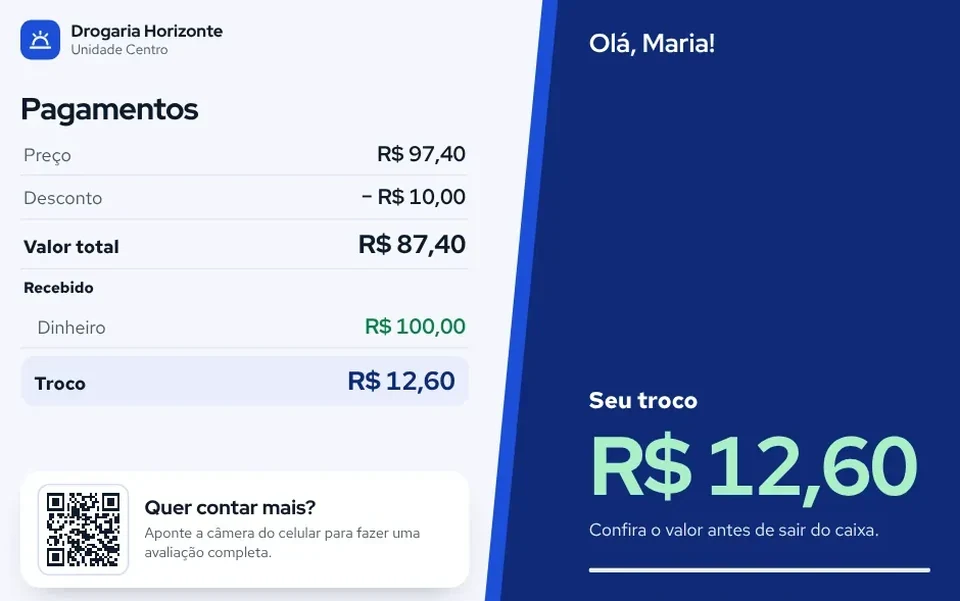
Payment summary with the change
Change on screen

Portal and reports

The numbers that matter, with the explanation next to them. Every indicator has an info icon that says what it means.

Satisfaction Score

It's the same math as NPS, the metric big chains use to measure loyalty, with a name anyone understands: the percentage of customers who chose Great minus the percentage who chose Okay, Bad and Awful. It goes from −100 to +100. Above +50, the store delights.
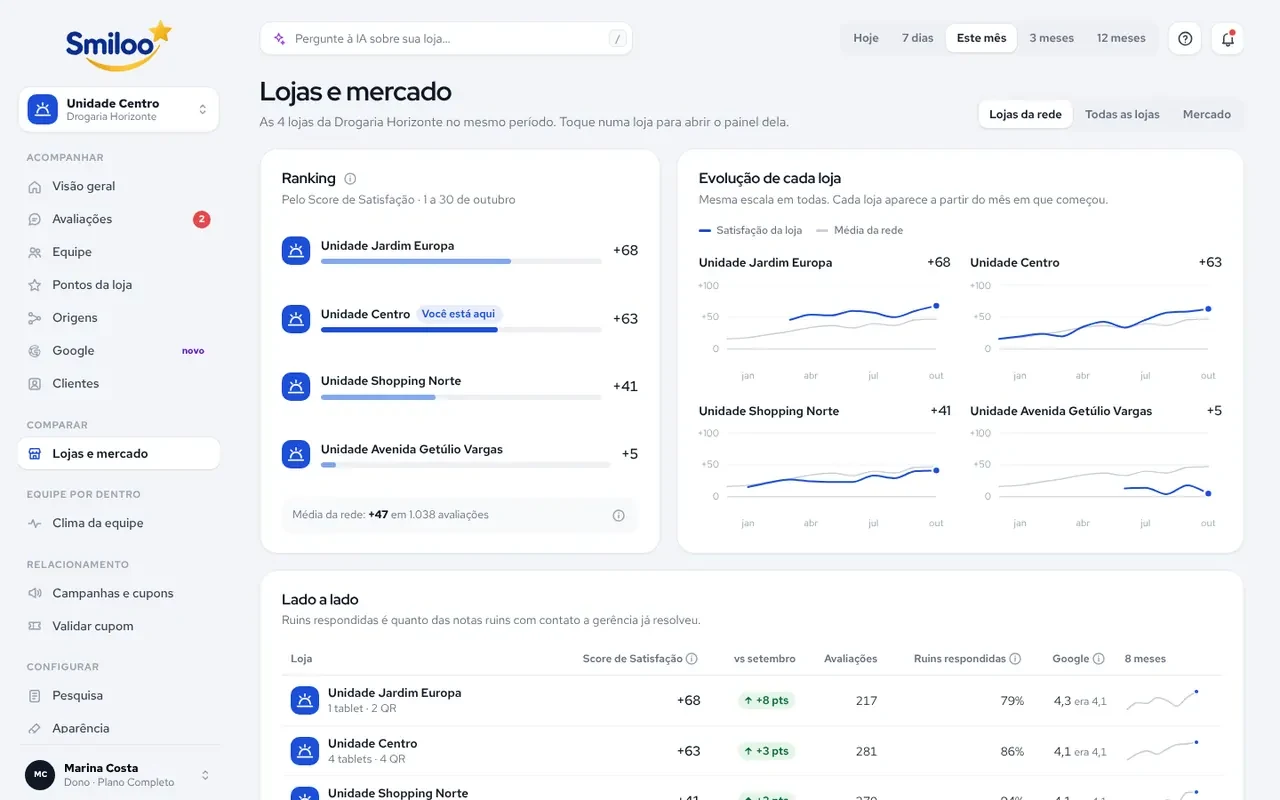
Stores and market: ranking of the chain's stores and each one's trend
Trend since day oneLong-term charts to watch the service improve with use.
Comparison with periodsToday, 7 days, month, 3 and 12 months, always against the previous period.
Stores and market Coming soonChain ranking and your segment's average on the platform, without identifying other stores.
Google tracking Coming soonRating, new reviews per month and the before and after Smiloo.
Bad ratings handled Coming soonHow many bad ratings with contact the manager has resolved, and who is still waiting for a reply.
ExportRatings in a spreadsheet, with name, phone, sale and message, when the customer provided them.

Your survey, your way, and short

Create questions about what matters in your store. The time meter warns you when the survey gets too long.

  • Stars, a 1 to 5 or 0 to 10 score, yes or no, like, single or multiple choice, text
  • Drag to reorder and edit each question in place
  • Store points: waiting time, cleanliness, price, variety
  • Copy the survey to the other stores in your chain Coming soon
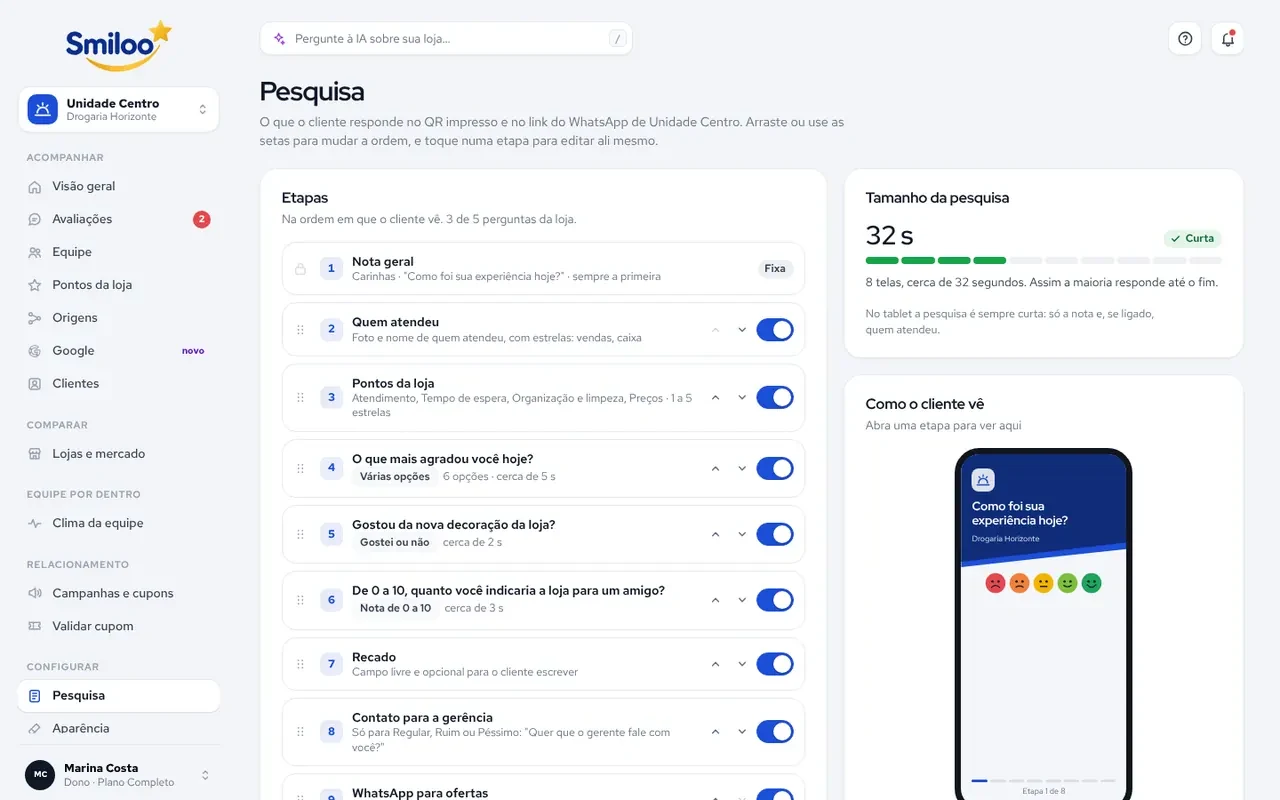
Survey editor with the steps, the length meter and the phone preview

Team

Every rating counts for who sold and who rang it up. Recognition is fair and training goes to those who need it.
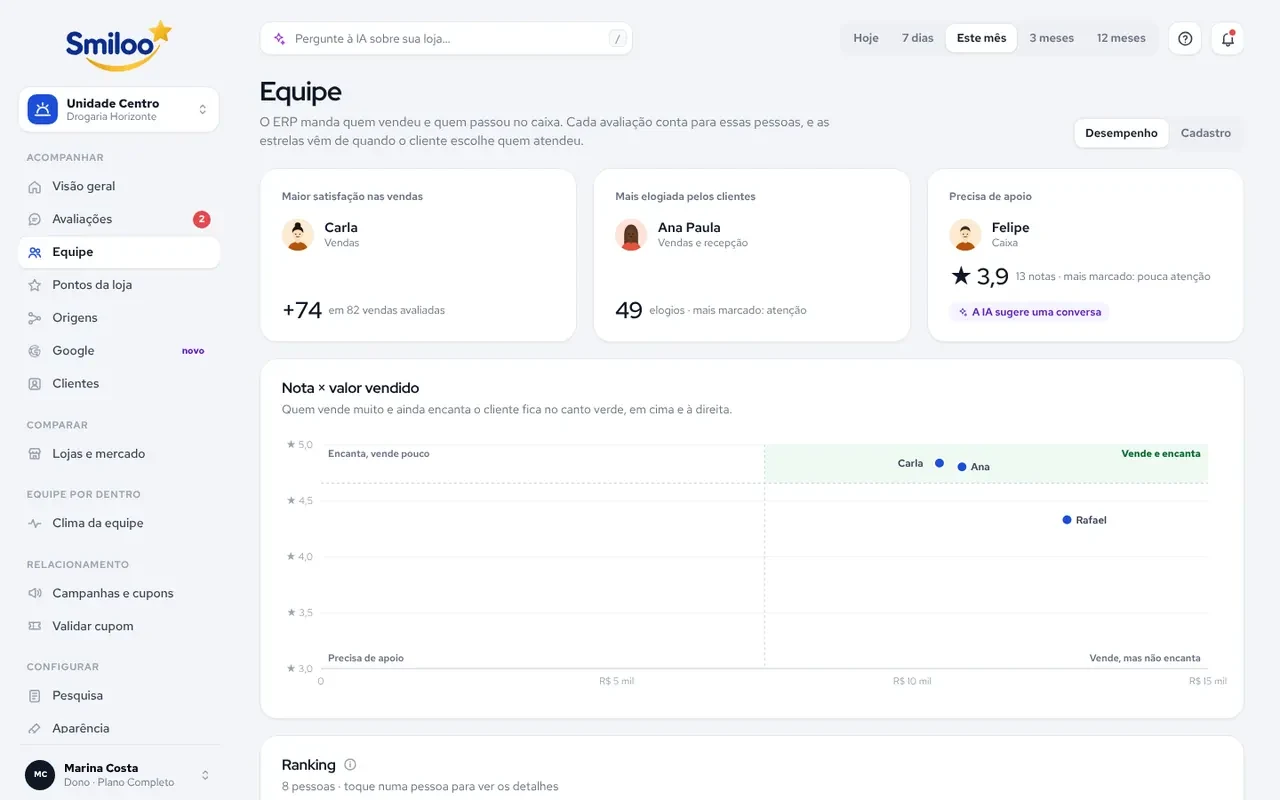
Team: highest satisfaction in sales, most praised, who needs support and rating by sales value
Ranking by roleEveryone together or just sales, checkout, reception. People with few ratings don't jump ahead.
Rating and sales value Coming soonSee who sells a lot and still delights, and who sells but leaves customers cold.
Who needs support Coming soonThe AI suggests how to start the conversation, based on the messages.
Standardized photos Coming soonThe AI adjusts framing, white background and a shirt in the store's color.
Vacations and leaveWith a return date, the person leaves the customer survey and comes back on their own.
Team mood and birthdays Coming soonAnonymous WhatsApp survey and a birthday board.

Customers, campaigns and coupons Coming soon

A customer base that grows on its own, with each person's rating and coupon history.

  • Sign-up by QR, by the ERP or with a link for your Instagram bio
  • Birthday coupon the day before, on a business day
  • Flash coupon with redemption and a reminder before it expires
  • Filters for who bought in recent months or disappeared 90 days ago
  • Separate WhatsApp numbers for ratings, offers and the team
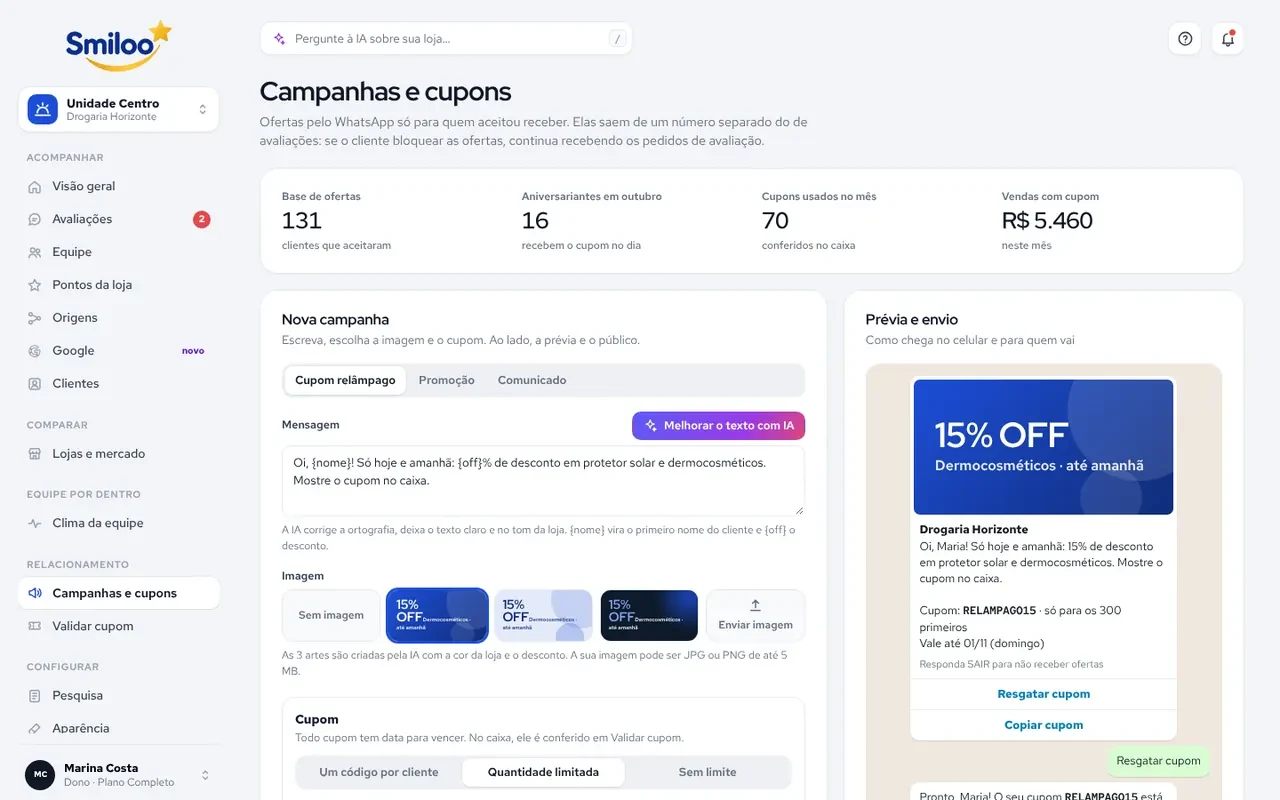
New campaign with message, image and coupon

AI across the Portal Coming soon

It's not a chat hidden in a corner. The AI shows up where it helps: in the daily summary, the messages, the team and the campaigns.

  • For today: the most important tasks, in order
  • Message themes with compliments and complaints
  • Suggested reply for the unhappy customer
  • Google rating forecast at the current pace
  • QR Code cards and team photos
Why did satisfaction drop on Friday?

Friday, from 5 to 8 pm, is the worst time at the Downtown store: Satisfaction Score of +23, 40 points below the store's Score in October (+63). Most messages from that time talk about the checkout queue. Last Friday there was only one checkout open at 6 pm.

Example with data from a fictional store.

ERP integration

A simple API. The ERP sends the sale events and Smiloo handles the screen, the rating and the rest.

sale.startedsale.item_addedsale.item_cancelledsale.totalizedpayment.method_selectedpayment.pix_requestedpayment.confirmedsale.finishedsale.cancelledsale.voided

Are you an ERP developer? The full contract, in OpenAPI, is at https://api.smiloo.io/v1/openapi.json. Each store creates its own key in the Portal, with a simulator to test.

// POST https://api.smiloo.io/v1/erp/events
{
  "eventId": "48213-9",
  "type": "sale.finished",
  "occurredAt": "2026-10-30T18:42:10-03:00",
  "deviceId": "0192f1c4-7a1e-7c3b-9d2a-5b8e4f6a1c20",
  "saleId": "48213",
  "seq": 9,
  "data": {
    "cashier": { "erpCode": "004", "name": "Felipe" },
    "sellers": [
      { "erpCode": "017", "name": "Carla" }
    ],
    "document": { "kind": "nfce", "number": "10234" }
  }
}

Chains, access and your brand

From a single store owner to a chain with dozens of locations. Everyone sees only what they need.
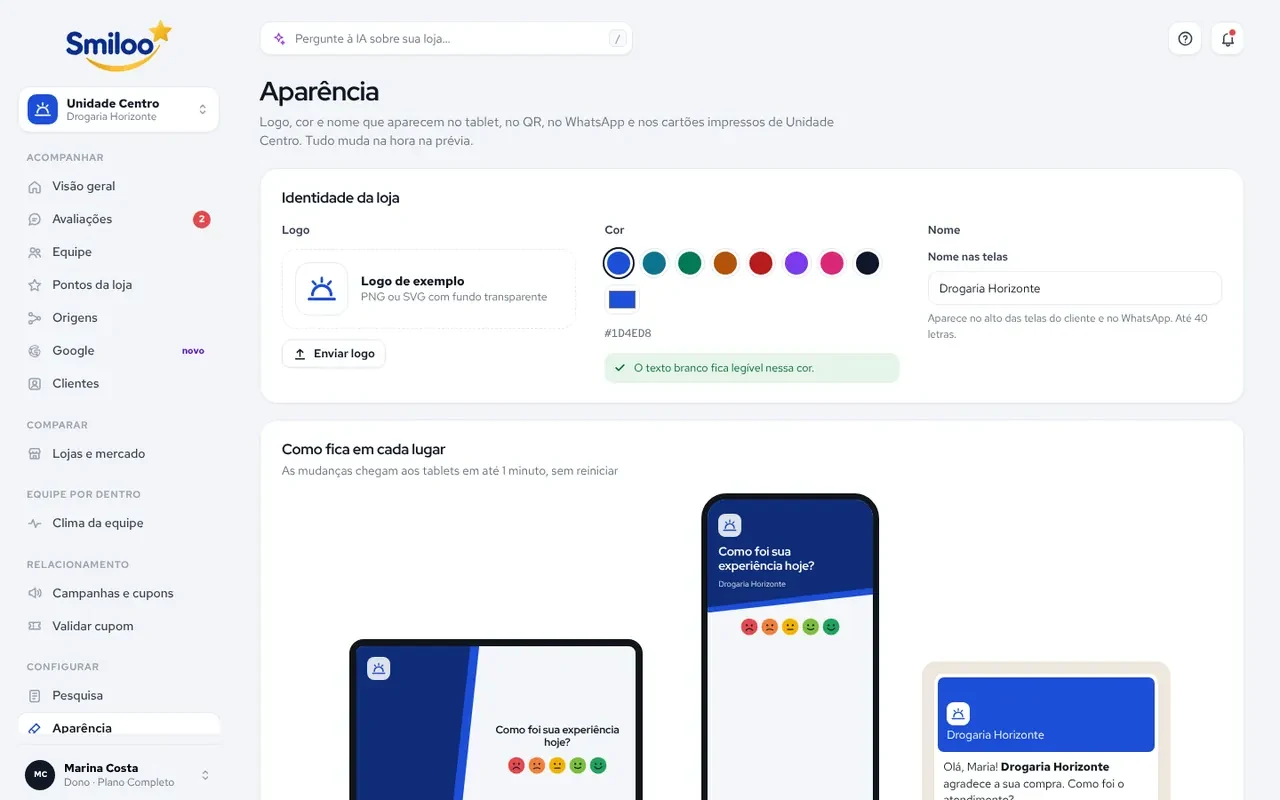
Appearance: store logo, color and name with the preview on the tablet, phone and WhatsApp
Many stores, one loginOne store or the whole chain, in one tap.
Access profilesOwner and manager today; later regional manager, customer relations, cashier and a custom profile, with the "View as" option.
Your store's lookLogo, color and name on the tablet and the QR. Blue by default.
Tablets with a PINPairing by code and a store PIN for settings. You can unpair from the Portal.
Validate coupon Coming soonAn access just for the cashier to check and redeem coupons.
With your brand Coming soonResellers will be able to sell Smiloo with their own name, logo, colors and prices.

Ready to hear your customers?